
Keep the itinerary visible.
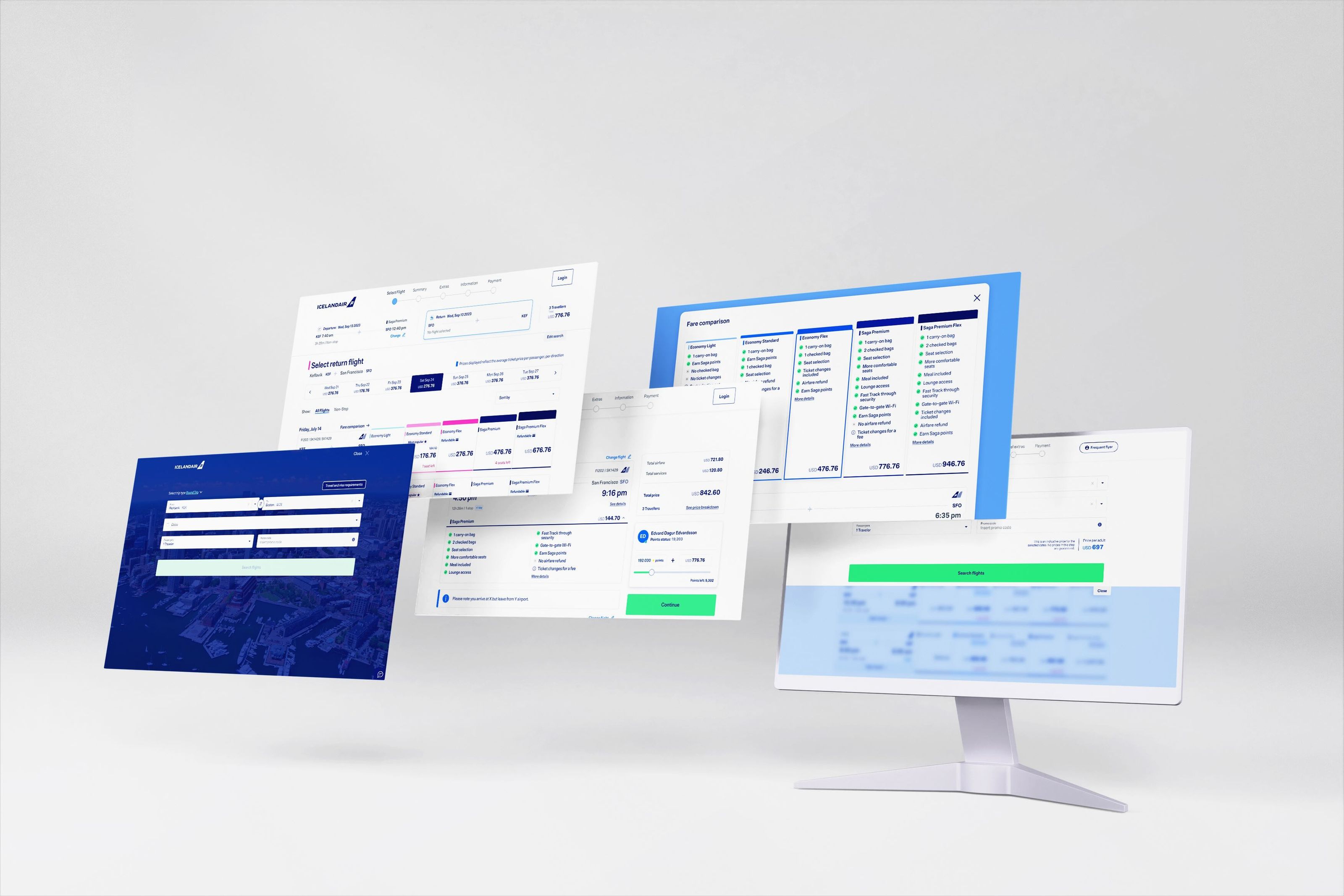
The outbound and return selections sit above the flight results. The overview shows the route, times, stops, selected fare and total, with an option to change a flight.
This keeps the current selection in view while the traveller chooses the other leg. The flight list can focus on comparing the available options.
Compare fares in the flight list.
The design aligns Economy Light, Economy Standard, Economy Flex, Saga Premium and Saga Premium Flex in columns beside each flight.
The list shows prices, fare types and availability. A separate comparison shows what each fare includes: baggage, seat selection, changes and refunds. Those details stay available without expanding every flight row.
Account for connecting flights.
The flight-card work covers direct flights, itineraries with connections, and unavailable fares. Departure and arrival times, duration and stops stay in the same places across the different states.
Connection details open from the flight card. The list keeps a compact overview, with the full itinerary available when it is needed.
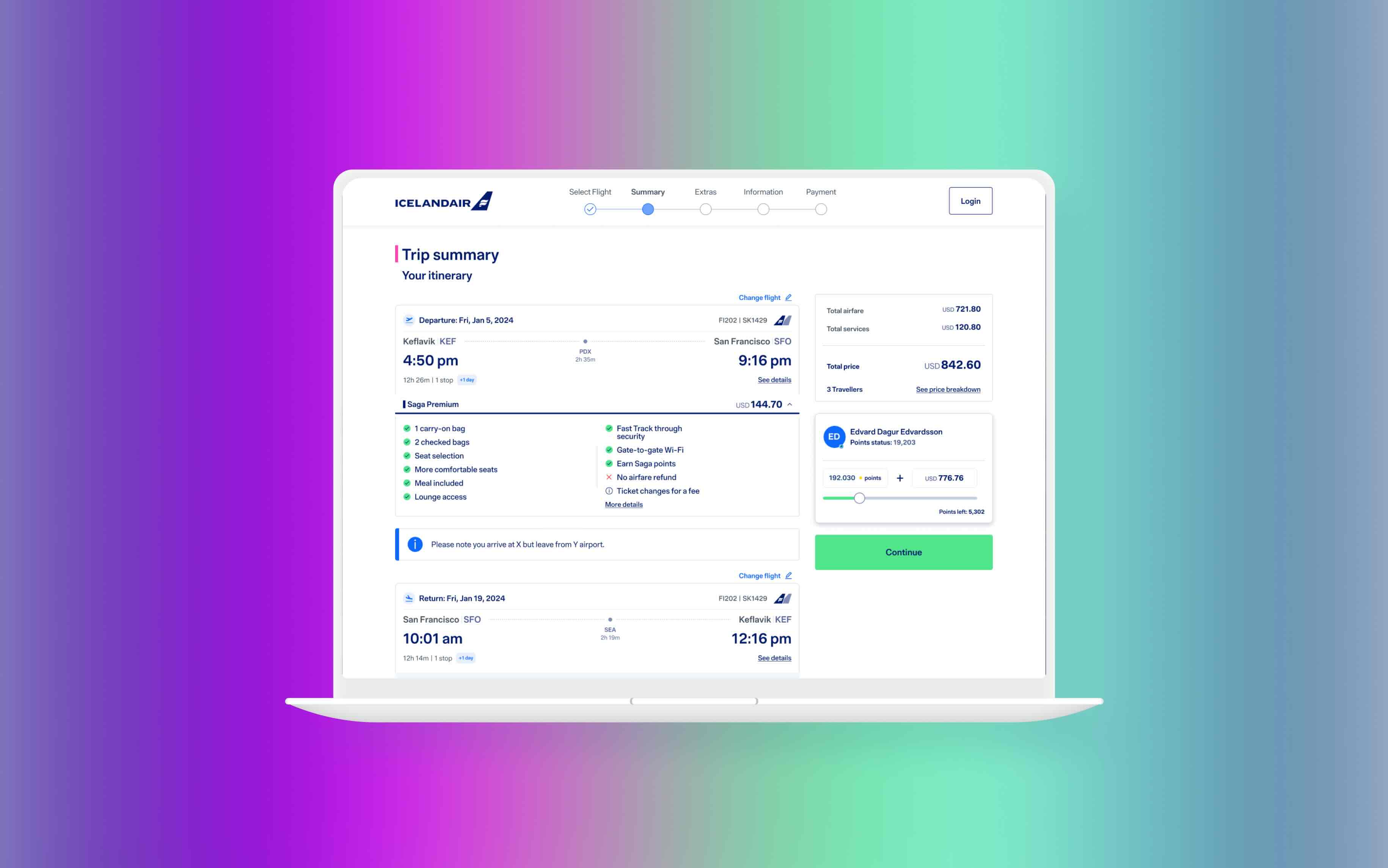
Review the whole trip.
The trip summary brings together the outbound and return flights, selected fares and price breakdown. Change-flight actions sit next to the itinerary, and upgrade options appear within the review step.
I designed desktop and mobile versions of the summary. The layout adapts to the screen while keeping the itinerary, fare details and next step together.